Whether you're a professional photographer, a tuner, or a car enthusiast exploring your next build, Auto AI Studio makes it effortless to re-imagine vehicles with AI car modifications.
It's not just another image editor — Auto AI Studio is trained exclusively on car imagery, learning paint behavior, reflections, lighting, and geometry across thousands of makes and models. That means when you change a color or wheel design, it respects curves, chrome, and material finish rather than painting over them like a filter.
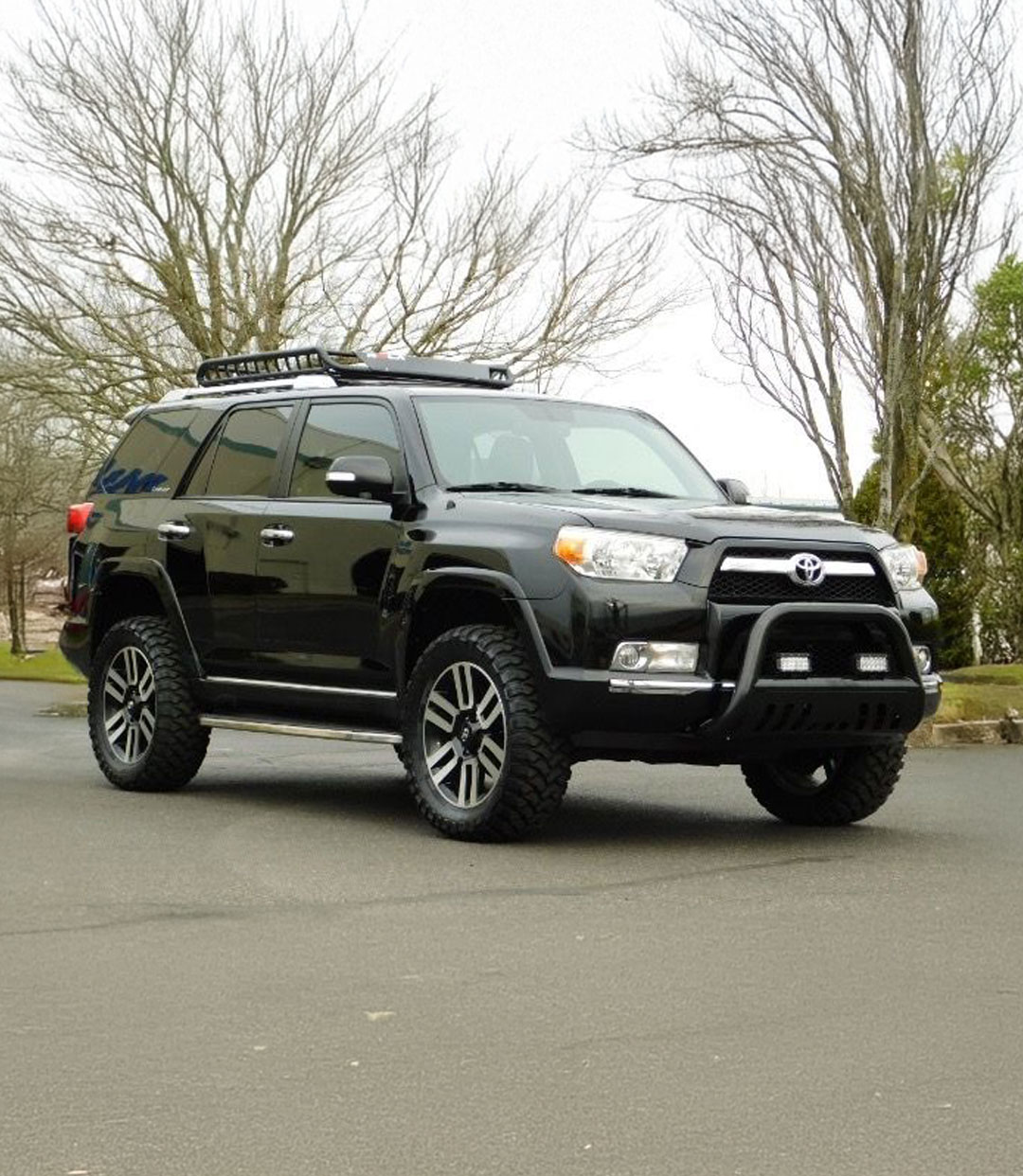
Before
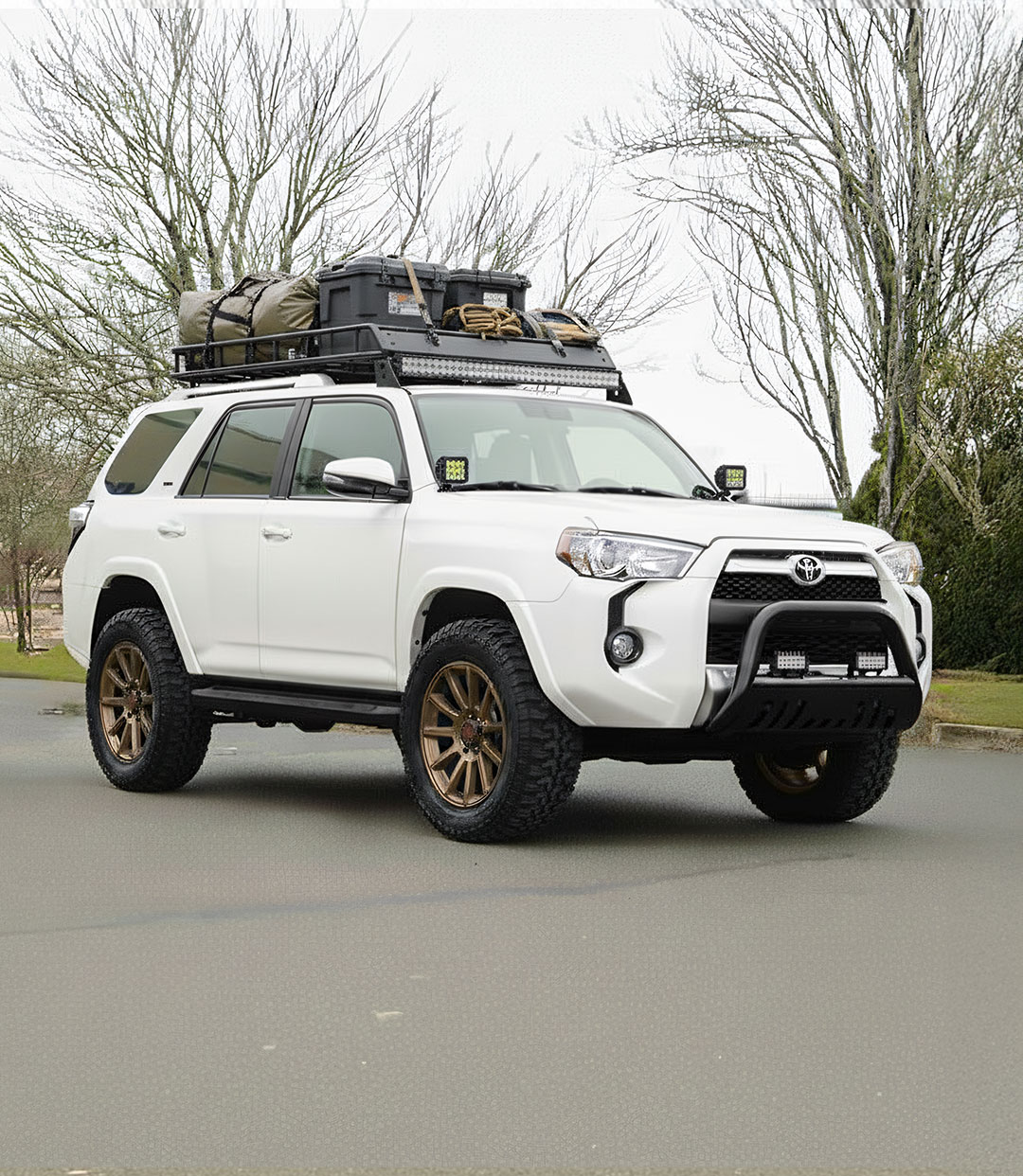
After
Why Auto AI Studio Is the Best Way to Design or Modify Cars with AI
Traditional render artists spend hours modeling in 3D or masking in Photoshop just to visualize a paint swap or wheel change. It's costly, complex, and limited to a handful of specialists.
Auto AI Studio uses AI-driven image-to-render modification to generate photorealistic results in seconds:
- For Enthusiasts: Instantly test wild colors, wheel setups, and aesthetic mods without touching a wrench.
- For Professionals: Generate realistic render concepts for clients or portfolio pieces — and easily refine in Photoshop or Lightroom with preserved highlights and reflections.
Why AI Is Revolutionizing Car Modification Visualization
- Color, material, and finish changes that preserve reflections.
- Wheel and tire swaps that respect perspective and camber.
- Paint + lighting correction so edits blend naturally with surroundings.
- Instant feedback — iterate on ten designs in the time one used to take.
How the AI Modification Process Works
1. Upload Your Car Photo
Use a clean, well-lit image showing the side or ¾ angle of the car. The AI automatically detects the body, paint, and reflections.
2. Open the "Objects" Tool
Swap parts or add new elements like "TE37 wheels," "carbon splitter," or "Liberty Walk widebody." Auto AI Studio recognizes common automotive terms and aligns parts to proper angles.
3. Adjust Color & Finish Using Custom Prompts
Want a specific color? Describe it:
- "Matte Nardo Gray with satin black roof."
- "Candy apple red paint under sunset lighting."
- "Pearl white with blue metallic flake."
The AI applies realistic tone, gloss, and highlight patterns.
4. Refine Lighting & Environment
Combine with Background Replacement or Color Grade AI for perfect lighting balance between car and background.
5. Preview & Compare
Use the compare button below the preview image to inspect wheel fitment, paint realism, and light reflections.
6. Export in 4K or Share Directly
Download, print, or post your render straight to social media — or import into Photoshop for final detailing.
Pro Tips for Realistic Car Mods with AI
- Start with well-lit, high-resolution shots (avoid harsh shadows).
- Use descriptive language — "forged 5-spoke bronze wheel with concave face" produces better results than "new wheels."
- For wraps or two-tones, describe materials: "satin," "gloss," "matte," "pearl."
- Keep reflection realism — don't oversaturate.
- Use consistent environments for multi-car renders (dealership sets, campaigns).
How Auto AI Studio Supports Different Use Cases
Car Enthusiasts & Creators
Build your dream spec visually, experiment freely, and share results instantly.
Shops & Dealers
Pre-visualize customer builds, paint options, and wheel combinations before ordering.
Photographers & Agencies
Quickly generate visual options for clients or branding campaigns.
Manufacturers & Aftermarket Brands
Create concept visuals for unreleased products or social teasers without expensive 3D renders.
Auto AI Studio's training data and car-specific optimization make it uniquely capable of handling reflections, paint types, and materials other AIs distort.
See your build before you buy a single part.
Try Auto AI Studio now — get 10 free edits to customize your car like never before.
Start Free & Design Your Dream Car →Ready to explore more AI-powered car photography features?