Motion is what separates a great car photo from a forgettable one. It adds life, emotion, and realism — but traditionally, that meant expensive chase rigs, timing perfection, and dangerous coordination on the road.
Auto AI Studio's Motion FX changes that with a single button. No sliders. No parameters. Just one click: "Apply Motion Effect."
Trained on tens of thousands of authentic automotive rolling shots, Motion FX understands how cars behave visually in motion — how reflections stretch, how paint diffuses under speed, how wheels blur in rotation, and how lighting changes across metallic surfaces.

Before
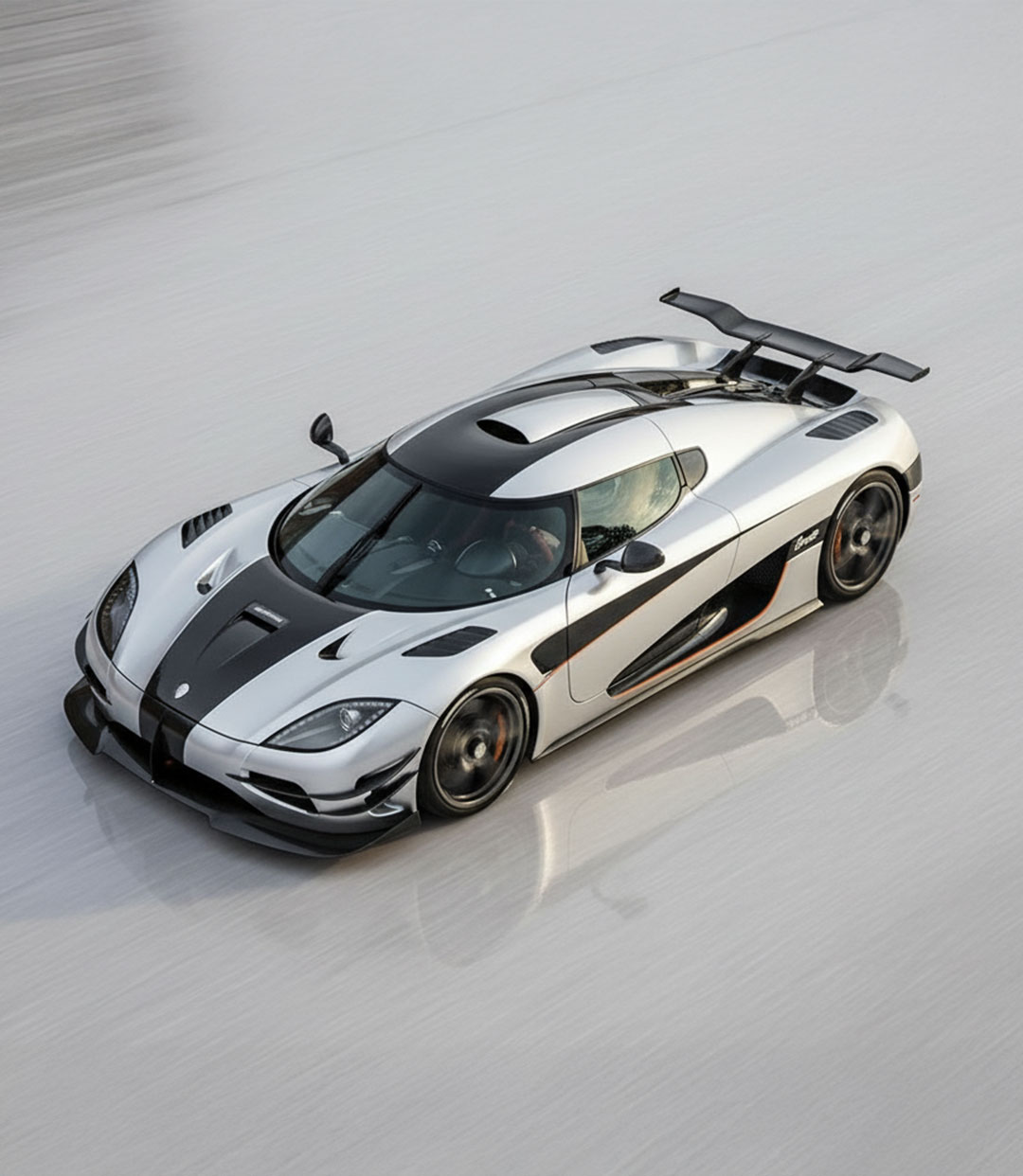
After
Why Auto AI Studio Leads the Field in Automotive Motion AI
- For professionals: Create print-ready, cinematic rollers instantly for campaigns and clients.
- For creators and enthusiasts: Turn garage or parking-lot photos into high-energy visuals that feel shot from a chase car.
How Motion FX Recreates Motion Physically — Not Artificially
Most photo editors use simple directional blur filters that smear everything equally. Auto AI Studio's Motion FX uses a multi-layer physics approach designed specifically for cars.
Here's what happens under the hood when you click "Apply Motion Effect":
- Depth Mapping — The AI separates foreground (car), mid-ground (road), and background (environment) to create real parallax.
- Optical Flow Simulation — It calculates pixel-level movement across layers, distinguishing translational motion (environment) from rotational motion (wheels).
- Wheel Dynamics Rendering — Each wheel is blurred in proportion to rotation plane, scale, and alignment; brake calipers and spokes maintain shape.
- Reflection Tracking — Body highlights and chrome streaks are elongated according to simulated velocity and direction.
- Tone & Depth Restoration — Contrast and micro-texture are restored so the final image remains crisp and filmic.
Step-by-Step: Creating Motion FX in Auto AI Studio
1. Upload Your Photo
Choose a sharp, well-lit image where the vehicle is clearly visible and free from heavy shadows or obstructions.
2. Click "Apply Motion Effect"
Auto AI Studio analyzes your image and applies realistic speed simulation in one pass.
3. Preview and Compare
Use the compare button below the preview image to see the before and after transformation. Focus on reflections, wheel edges, and lighting.
4. Export and Share
Download the final still in up to 4K (If you use our 4K AI Upscale feature) and it's ready for sharing wherever you wish, or even ready for print with Ultra 4K Upscale (available to paid plans only).
Technical Advantages of One-Click Motion FX
- Physics-Driven Depth: optical flow and depth separation, not flat blur.
- Reflections Preserved: surface gloss and highlights processed independently.
- Wheel-Aware Rendering: rotational blur respects geometry and perspective.
- Adaptive Scene Blur: background intensity auto-adjusts with scene depth.
- Neural Lighting Correction: balances exposure and white point across the composite.
Professional Tips for Perfect Results
- Upload the highest-resolution version available — more pixels = more accurate flow.
- Make sure wheels are visible for best spin accuracy.
- Avoid cropped frames with missing background context.
- For best results make sure the car is on a road or open surface where the car could realistically be driving, and don't stress too much about the positioning or angle of the car as our Motion FX feature will automatically adjust positioning for the most realistic result possible.
- Apply Color Grade AI after Motion FX for cinematic toning.
- Combine with Background Replacement if the original setting is cluttered.
Bring your stills to life.
Try Auto AI Studio's Motion FX today — get 10 free edits and turn parked shots into cinematic rollers with a single click.
Start Free & Apply Motion FX →Want to take your automotive photography even further?