Imagine uploading a single car photo and walking away with a complete photo set — front view, side profile, rear shot, and 3/4 angles — all generated in seconds. With AI Reframe in Auto AI Studio, that's exactly what you get.
No more scheduling multiple photoshoots. No more repositioning your car for every angle. Just upload one great photo and let AI generate the rest.
What Is AI Reframe?
AI Reframe is Auto AI Studio's breakthrough feature that analyzes your car photo and regenerates it from completely new perspectives. Using advanced AI trained specifically on automotive photography, the system delivers results that were previously impossible.
- Preserves your exact car — color, wheels, badges, body lines, and all unique details
- Generates new viewing angles — front, rear, side profile, and 3/4 views
- Maintains the scene — background and lighting stay consistent across all angles
- Delivers in one click — no complex settings, sliders, or manual work required
Create a Complete Photo Set from One Image
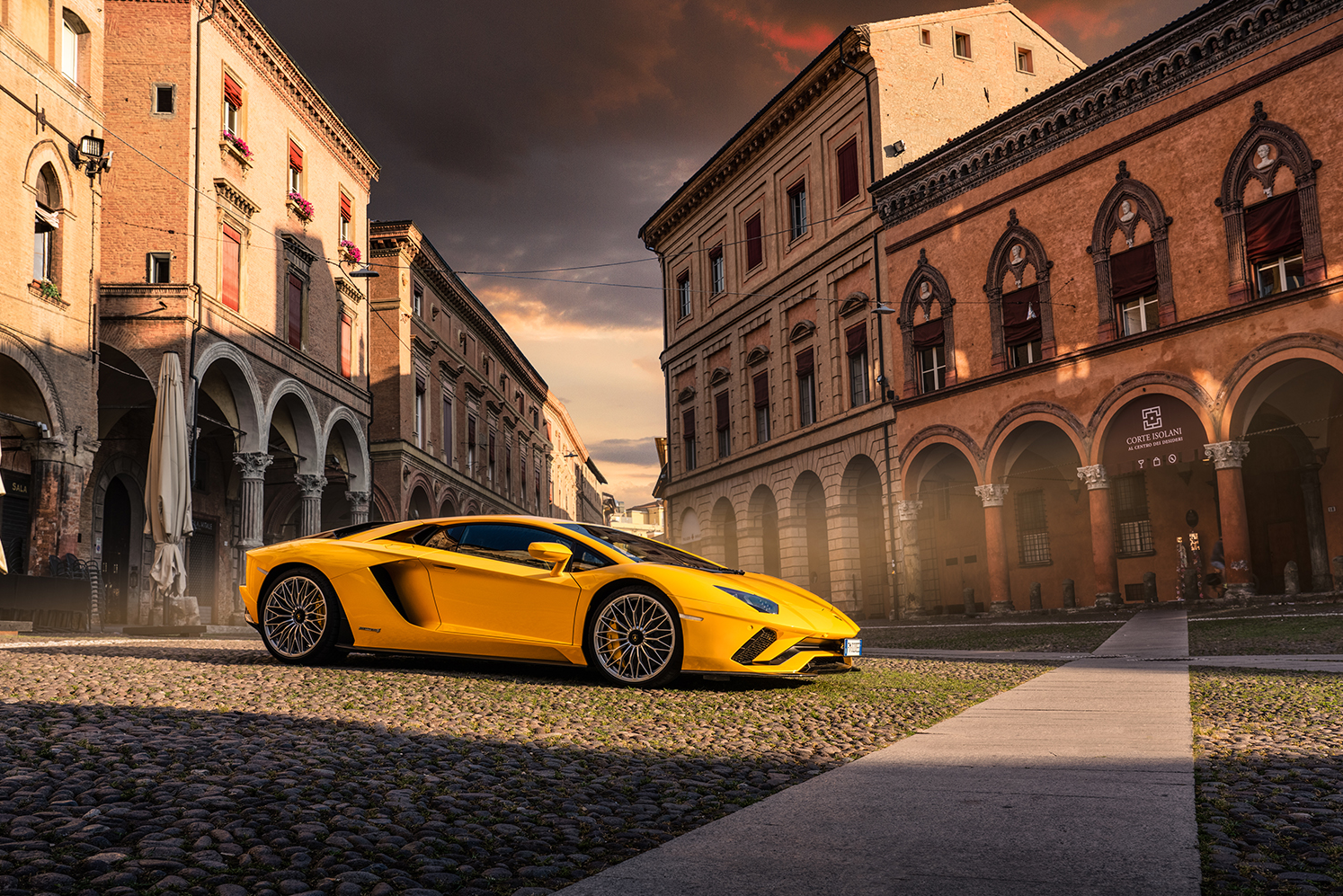
Here's the power of AI Reframe in action. Starting from a single 3/4 view photo, we generated an entire car photo set with just two clicks:
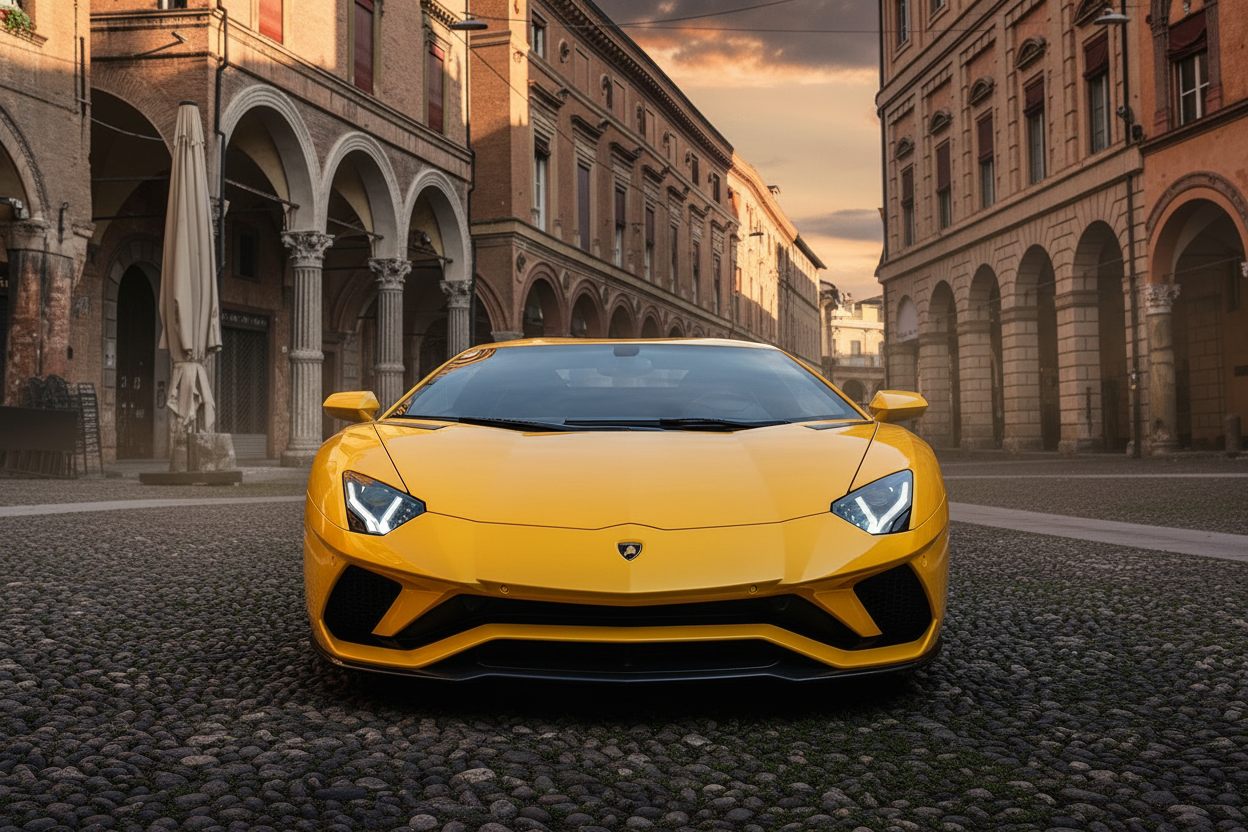

The AI regenerated this yellow Lamborghini from completely new angles — while keeping every detail intact. Same car, same scene, different perspective. This is what makes AI Reframe a game-changer for automotive photography.
How to Use AI Reframe (Video Tutorial)
Watch how easy it is to generate multiple car photos from a single image:
Why Automotive Photographers Need This
Save Hours on Every Shoot
Traditional car photography requires repositioning the vehicle for every angle — or scheduling multiple sessions at different times of day. AI Reframe eliminates this entirely. One well-composed shot becomes a complete photo set.
Perfect for Dealerships & Inventory Listings
Need consistent front, side, and 3/4 views for your entire inventory? Generate a complete, professional-looking set from a single hero shot. Maintain brand consistency across hundreds of vehicles without the photography overhead.
Content Creators & Social Media
Create variety without repeating photoshoots. One session gives you content for weeks. Post different angles across platforms without looking repetitive.
Car Enthusiasts
Got one perfect photo of your build? Now you can have a full gallery. Show off every angle of your car without needing access to the same location or lighting conditions again.
How AI Reframe Works — Step by Step
Upload Your Photo
Start with any clear car photo. A 3/4 view works best as it contains the most detail for AI to reference.
Select Your Angle
Choose from Front, Back, 3/4 Views (front or rear), or Side Profile. Each option generates a completely new perspective.
Adjust Camera Zoom
Zoom in for detail shots that highlight specific features, or zoom out for dramatic wide shots that show the full vehicle.
Generate
Click generate and watch AI recreate your exact car from the new perspective — preserving color, wheels, badges, and every unique detail.
Download
Export high-resolution results ready for social media, listings, or professional use. Optionally upscale to 4K for maximum quality.
Pro Tips for Best Results
- Start with a sharp, well-lit original — better input quality means better output quality
- Use 3/4 views as your source — they contain the most car detail for AI to reference when generating other angles
- Generate multiple angles — build a complete photo set for maximum content impact
- Combine with other AI tools — use AI Reframe with Background Swap or Color Grade for full creative control
- Match lighting direction — results look most natural when the original has clear, directional lighting
- Experiment with zoom levels — the same angle at different zoom distances creates unique compositions
Transform One Photo Into a Complete Photo Set
Try AI Reframe today with 10 free edits — no subscription required.
Generate Your First Reframe →Ready to explore more AI-powered car photography tools? Check out our other tutorials: